For Sellers: Rental Bookings and Property Listings
Run rental bookings from accept to return, and manage property listings and buyer enquiries.
On this page
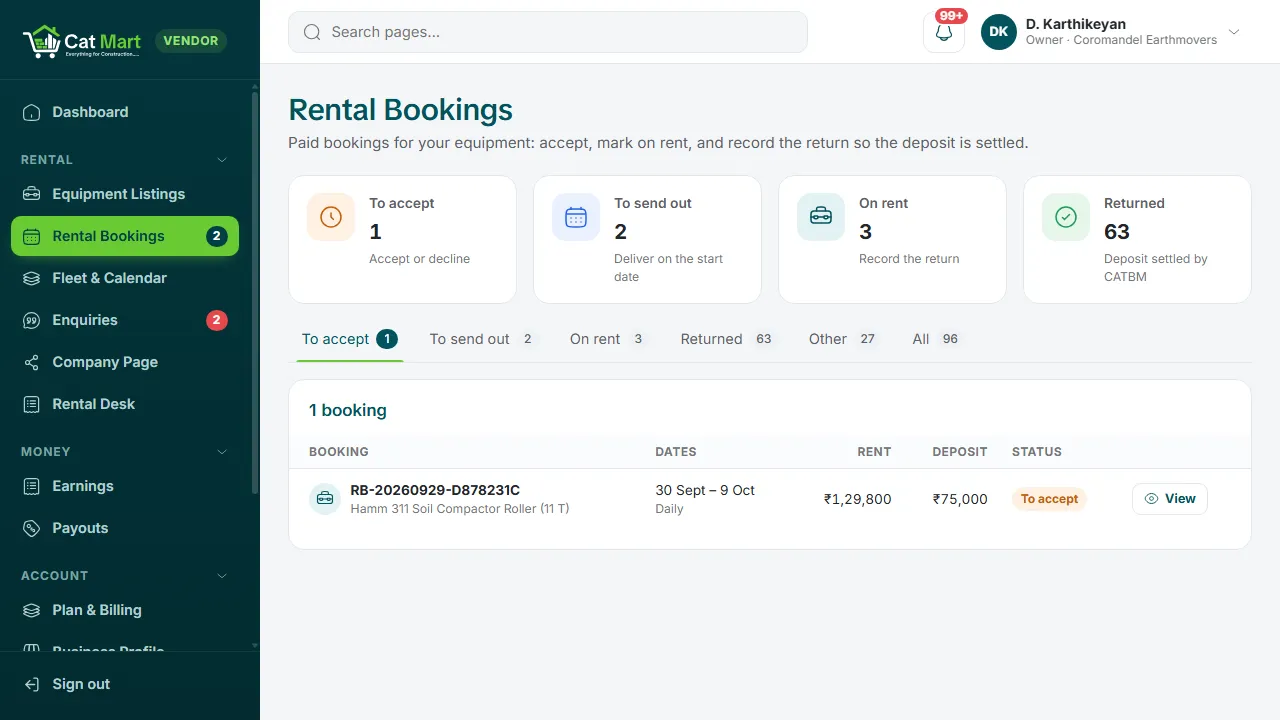
Rental bookings
- Accept the paid booking. A machine from your fleet is assigned.
- Deliver on the start date and record the handover: meter reading, fuel, condition and photos. Rent starts here.
- Record the return with the closing reading and any damage. Extra usage is worked out from the readings.
The deposit is settled after the return: damage and extra usage are taken from it and the rest goes back to the customer.
Fleet and listings
Add each machine under Fleet & Calendar and mark it under maintenance when it is not available. On each listing, choose your rates, deposit, included usage, whether an operator and fuel are included, and your early-return refund rule.
Extensions
When a customer asks to keep a machine longer, approve the request and they pay the extra rent online.
Property listings
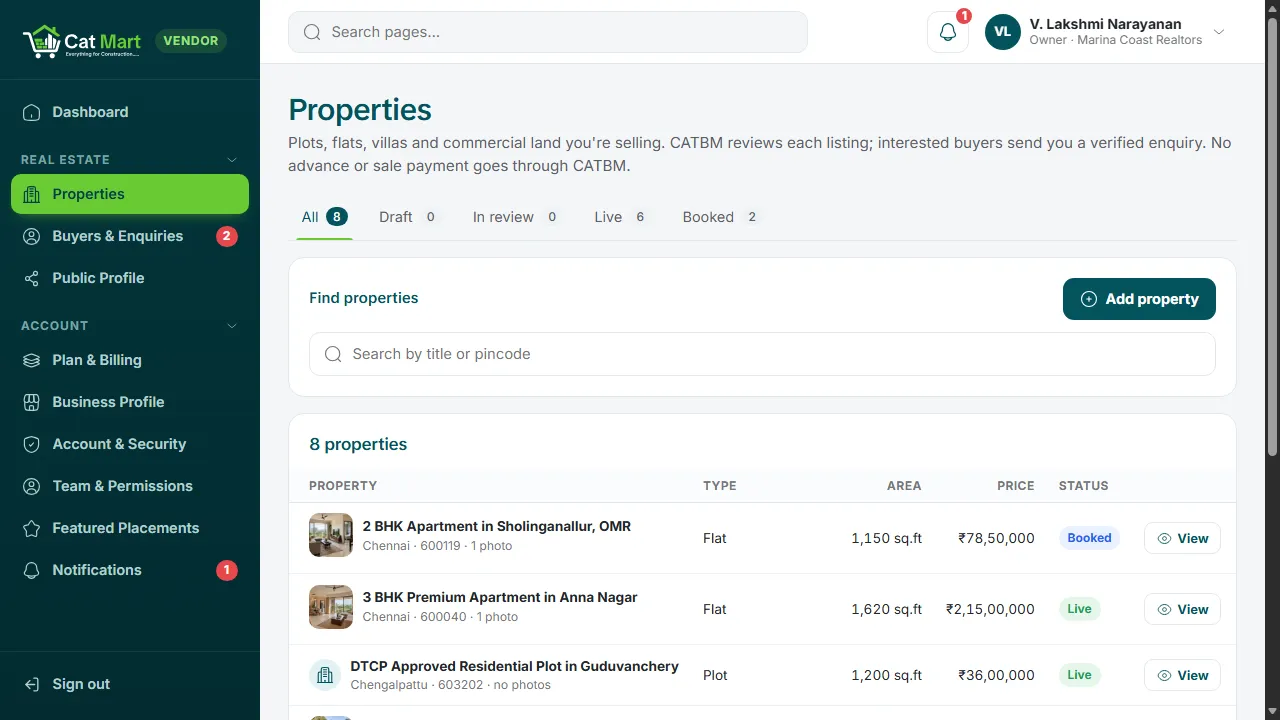
Add a property with its details and up to ten photos. We review each listing before it goes live. Property listings are enquiry only: no money for property passes through Cat Build Mart.
Buyer enquiries
Enquiries arrive with the buyer's name and verified mobile number. Your own phone number and email stay off the site. The Real Estate CRM add-on adds follow-ups, site visits and reports.
Your public page
Rental companies and property sellers each get a public page with their profile, logo and live listings, which you edit from the portal.
Your feedback helps us improve our policies and communications.