Buying Materials: From Product Page to Order
Compare sellers on a product page, add to cart and check out in three steps.
On this page
Compare sellers on the product page
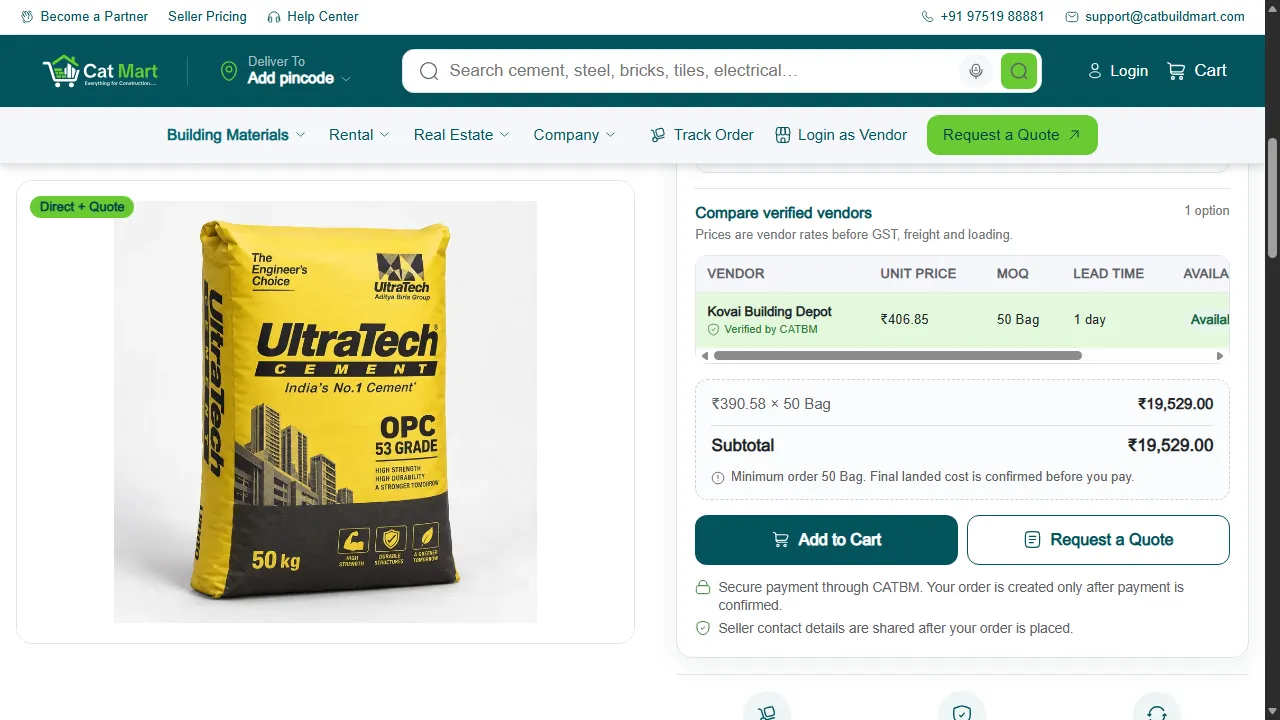
Each product page lists the verified sellers who can deliver to your PIN code, with their price, minimum order and how soon they can dispatch. Choose the unit you buy in (for example bags or tonnes) and the quantity; larger quantities can have a lower price per unit.
The price shows whether GST is included or added at checkout.
Add to cart
Press Add to Cart for the seller you want. Your cart can hold products from more than one seller; each seller's items become a separate order with its own delivery.
If you need a large quantity or a better price, press Request a Quote instead. See how quotes work.
Checkout in three steps
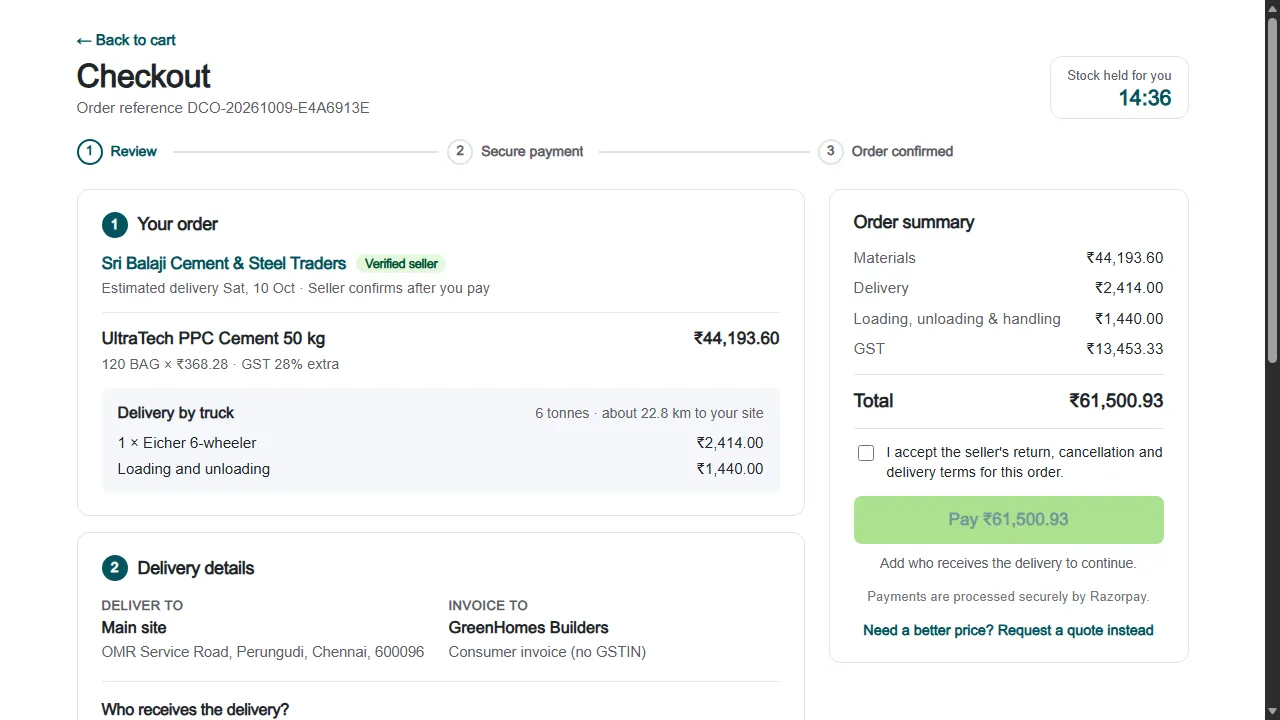
- Review. Check the items, the delivery address, who will receive the goods and the delivery charge.
- Payment. Choose how to pay. See ways to pay.
- Order confirmed. You get an order number and a message, and the seller is told.
Prices and stock are held for you while the timer at the top of the checkout is running. If it runs out, start the checkout again from your cart.
How the delivery charge is worked out
Each seller lists their trucks and rates. Checkout picks the smallest truck (or trucks) that can carry your load and charges by the distance from the seller's godown to your site. Loading and unloading, where charged, are shown as a separate line.
After you order
The seller accepts the order and sends it. Follow it from My orders, or without signing in from Track Order. If a seller can't accept your order, we review it and refund what you paid.
Your feedback helps us improve our policies and communications.