
Uploading a Bill of Quantities (BOQ)
Turn an Excel sheet, PDF or photo of your list into a request sellers can quote on.
On this page
What you can upload
An Excel or CSV sheet, a PDF, or a clear photo of the list. Each line should say what the material is, how much you need and the unit.
Steps
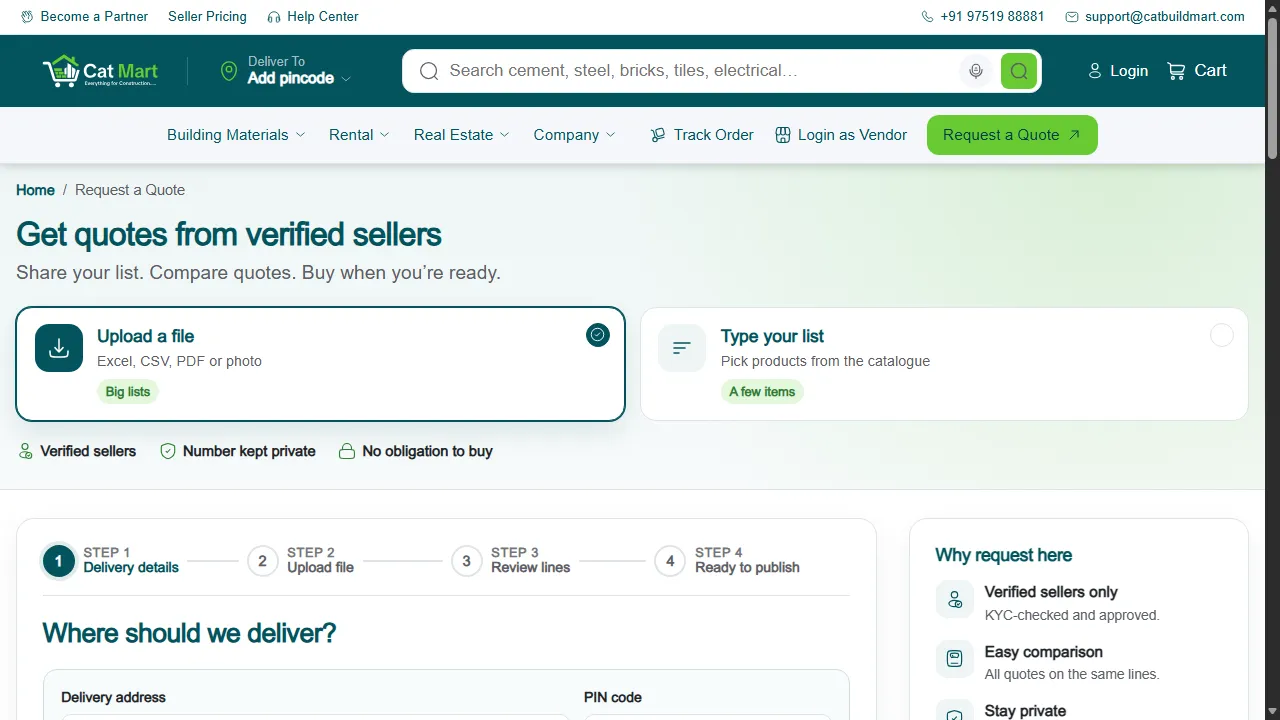
- Open Upload BOQ.
- Delivery details. Enter the site address and PIN code.
- Upload the file.
- Review lines. Check each line that was read from the file and correct anything that is wrong.
- Publish. The request goes to sellers.
Why the review step matters
Sellers quote on exactly what is listed. Fixing a wrong quantity or unit before publishing is far easier than after offers have come in.
After publishing
The request works like any other: sellers send offers and you compare and accept them.
Was this documentation article helpful?
Your feedback helps us improve our policies and communications.